Introducing fsql: An Interactive CLI for Forge SQL Databases
An interactive terminal experience for Forge SQL, bringing familiar SQL workflows to your Atlassian development environment.
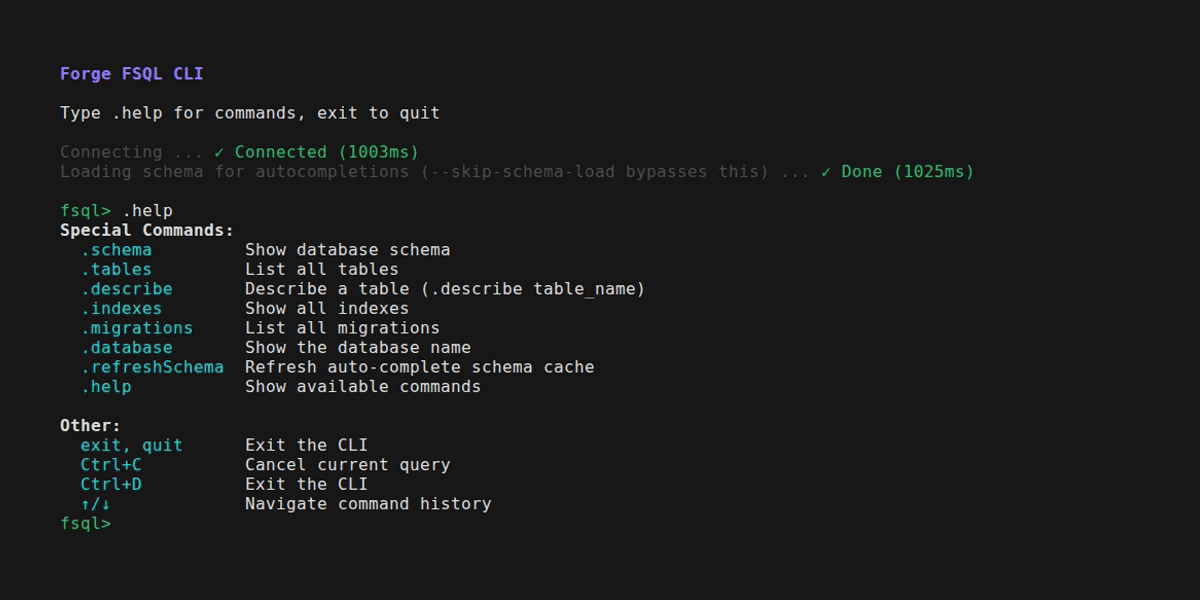
fsql is a purpose-built CLI that feels just like a standard mysql or psql session. It allows you to explore your Forge SQL database, insert test records, and iterate on complex queries without ever leaving your terminal.
Why fsql?
Atlassian Forge SQL provides a powerful relational database for your apps, but interacting with it during development can sometimes feel slow if you need to repeatedly deploy code just to check the state of your tables. fsql bridges this gap by providing an interactive terminal experience.
Key Features
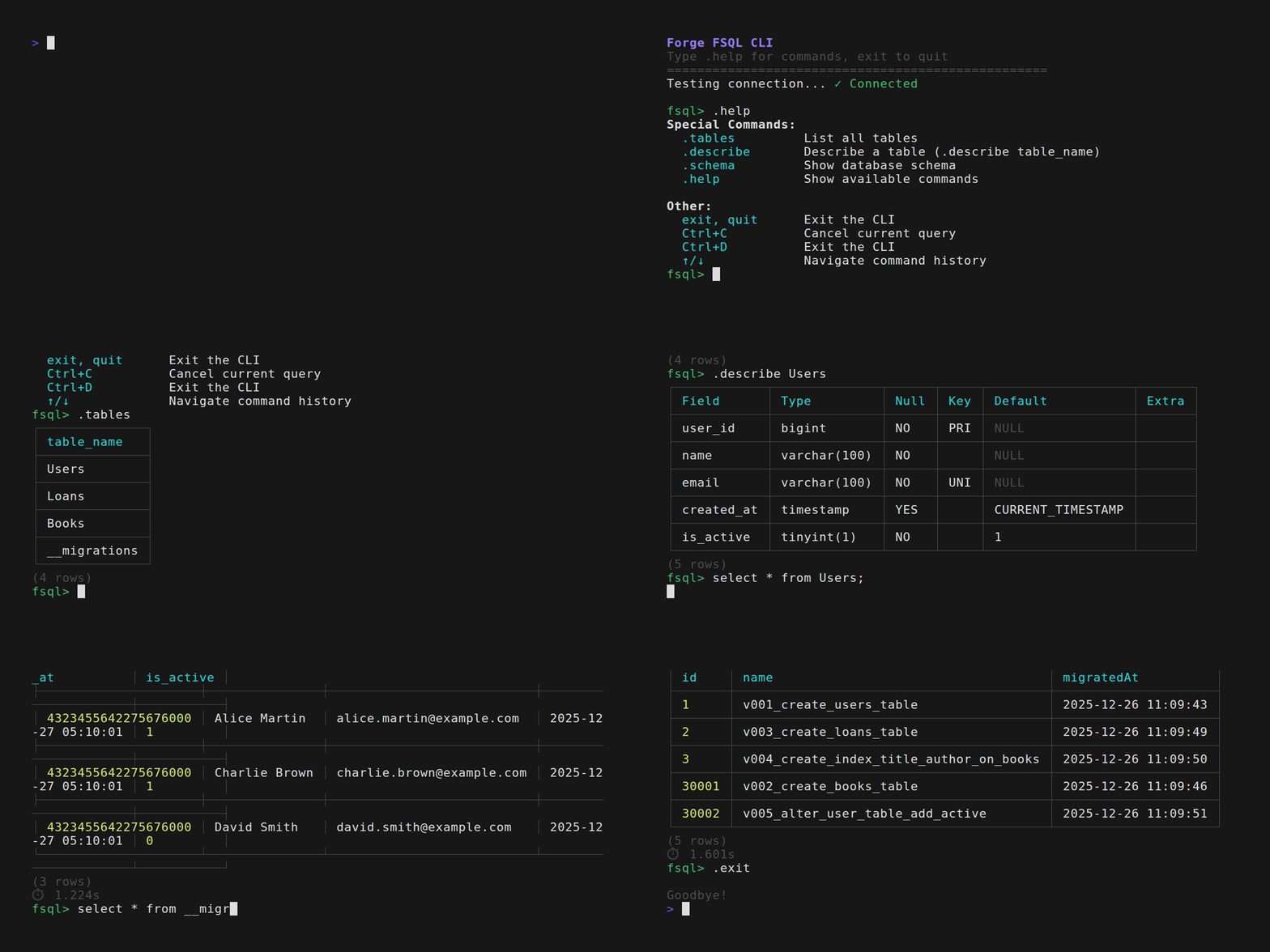
- 🎨 Table formatting with colors for clear data visualization.
- ⚡ Special commands like
.tables,.describe, and.schemafor quick inspection. - ⌨️ Command history (↑/↓ arrows) and persistent history across sessions.
- ⏱️ Query timing to help optimize your SQL.
- 📝 Multi-line SQL support for complex queries.
Getting Started
To use fsql, you'll need to install the CLI and set up a web trigger in your Forge project. This web trigger serves as the bridge between the CLI and your Forge SQL instance.
Installation
-
Install the CLI globally:
npm install -g forge-fsql -
Run the setup from the root of your Forge project:
fsql-setup
The setup command will automatically:
- Create a web trigger in your
manifest.yml. - Add a module at
src/fsql.tsto handle the commands. - Deploy the project to your development environment.
- Configure your local
.envwith the necessary trigger URL.
Usage
Once set up, simply run:
fsql
You can then run any standard SQL queries or use the built-in special commands:
fsql> .tables
fsql> .describe my_table
fsql> SELECT * FROM my_table WHERE id = 123;
Security First
By default, fsql is designed for development environments. It includes built-in checks to ensure the web trigger is disabled in production to prevent unauthorized access to your database.
We're excited to see how fsql helps speed up your Forge development workflow. You can find the project on GitHub and we'd love to hear your feedback!