
OpenStreetMap for Jira
Learn how to integrate interactive maps into your Jira projects and issues.
Getting Started
OpenStreetMap for Jira allows you to add location context to your issues, dashboards, and projects.
- Install the App: Get the app from the Atlassian Marketplace.
- Enable Issue Panel: Open any Jira issue and click the OpenStreetMap icon in the issue panel section.
- Add Dashboard Gadget: Click "Add gadget" on any Jira dashboard and search for "OpenStreetMap".
Issue Panel
Every Jira issue can have a location attached. The OpenStreetMap Issue Panel lets you add map context to individual tasks, bugs, or stories.
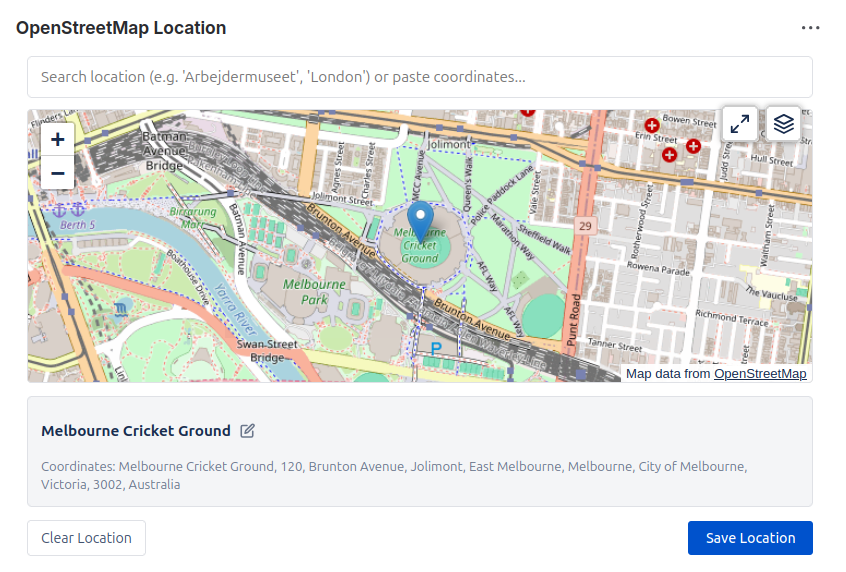
To use the issue panel:
- Open any Jira issue.
- Locate the "OpenStreetMap Location" panel (usually on the right sidebar or below the description).
- Set Location: Use the search bar to find a place, or click on the map to set the location.
- Customize Details: You can change the location name and select your preferred map layer.
- Layer Selection: Note that some layer types require an API key to be configured in Settings.
Dashboard Gadgets
Visualize project locations directly on your Jira dashboards. The "OpenStreetMap Locations" gadget allows you to pin a map view to your daily workflow.
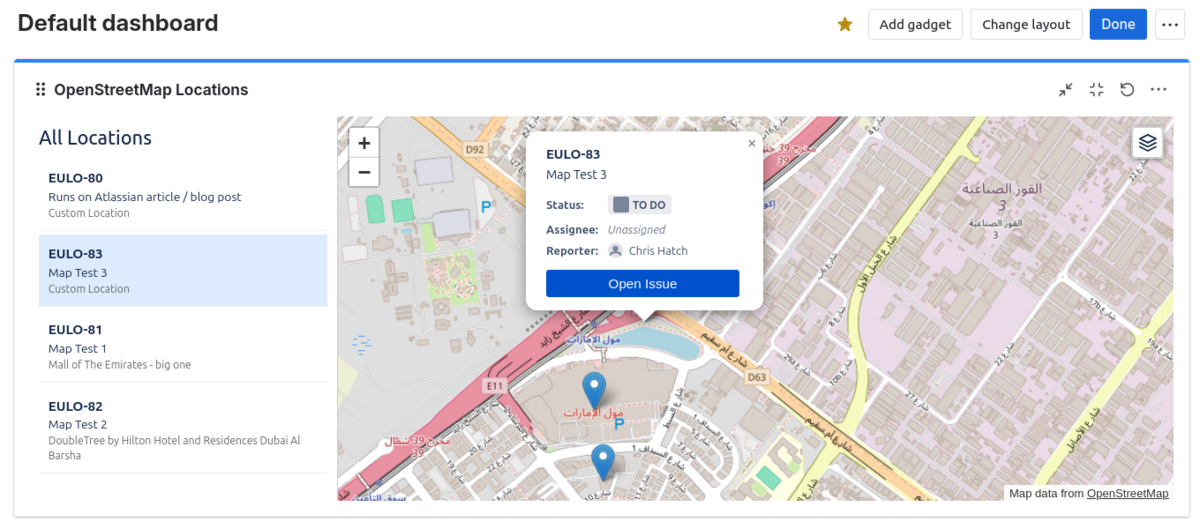
- Add Gadget: Click "Add gadget" on your dashboard and search for "OpenStreetMap Locations".
- Configure View: Set your default zoom level and center coordinates.
- Save: The gadget will retain your settings for all viewers of the dashboard.
Project View
Get a high-level view of your project's geography. The Project View adds a dedicated "OpenStreetMap" item to your project sidebar.
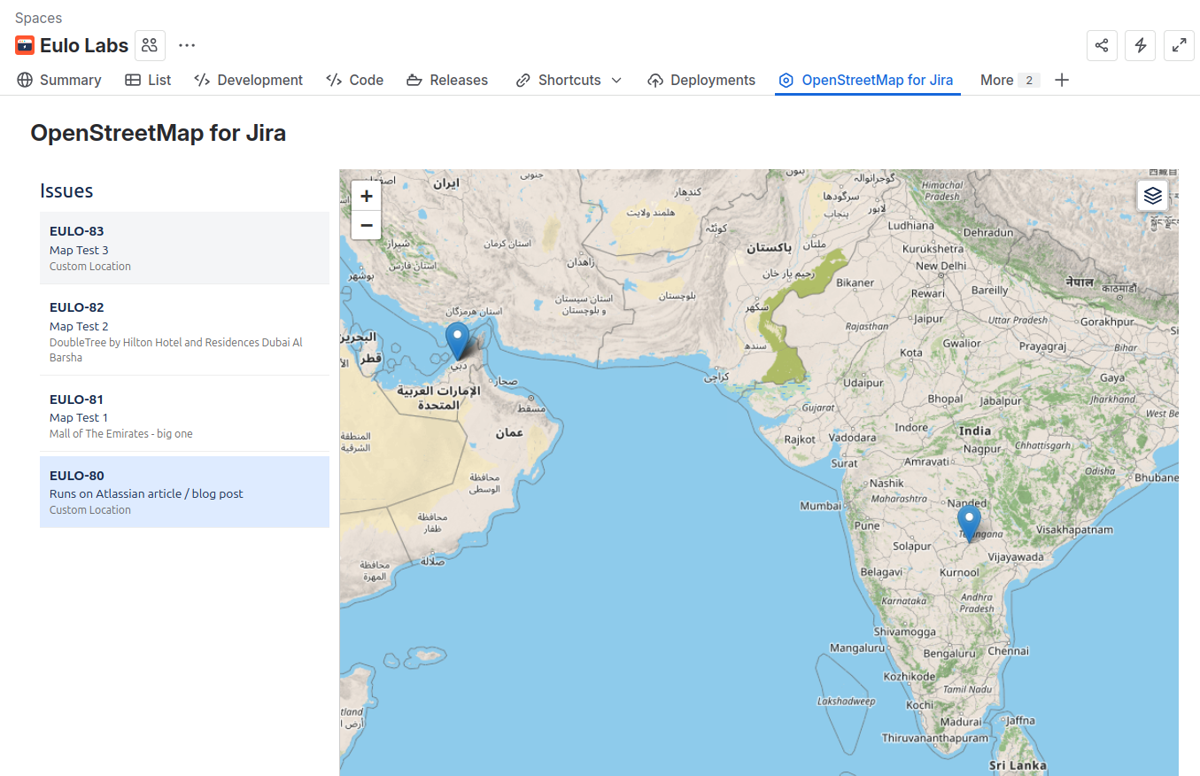
This view is ideal for keeping a persistent map reference for the entire project team, independent of specific issues or personal dashboards.
Settings
Administrators can configure app-wide settings to enhance the mapping experience for all users.
Default Map View
Set a global default view for new maps. This ensures that when users add a map to an issue or project, it starts focused on a relevant location (e.g. your main project site).
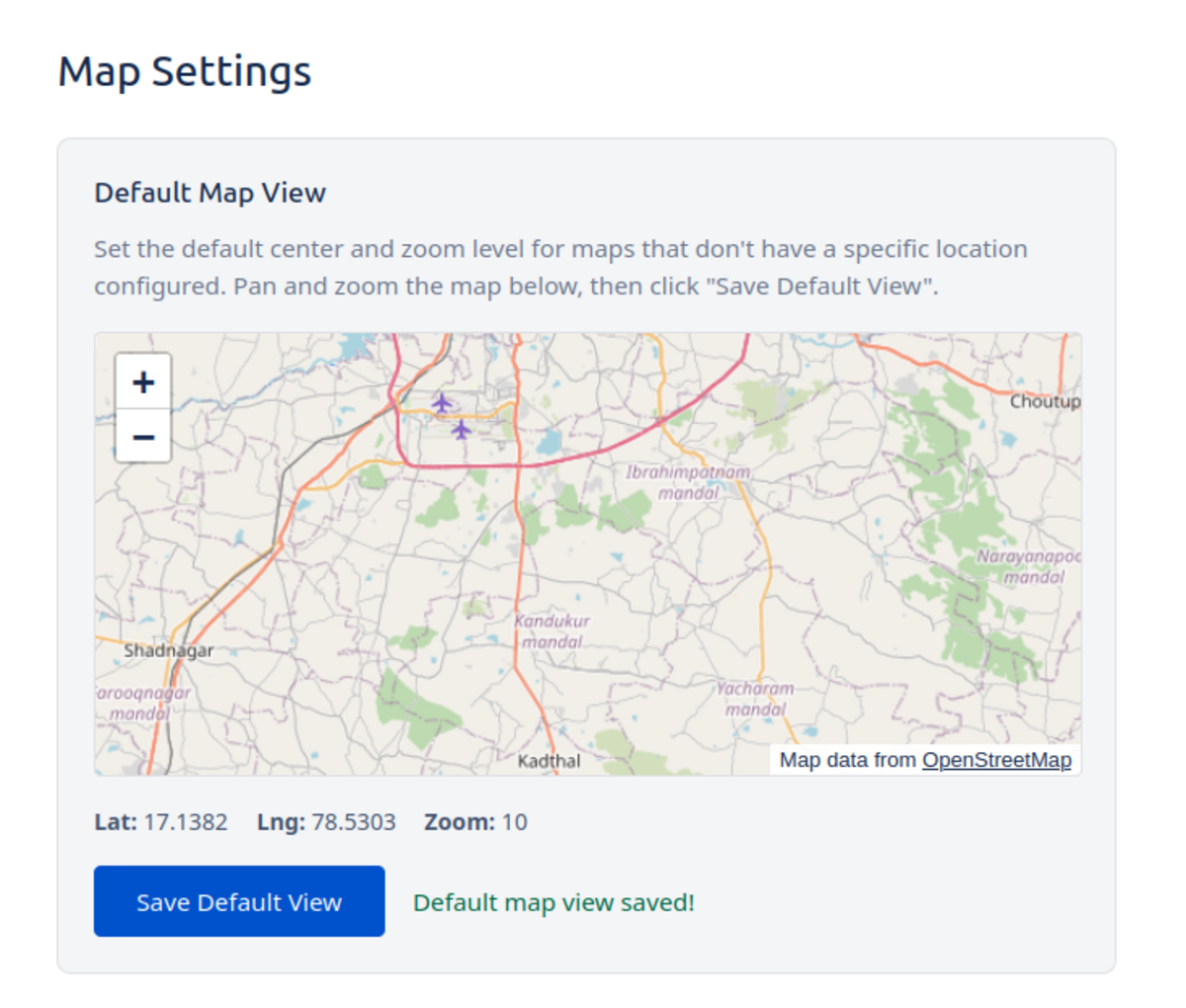
Global Default Map Settings
Map Tile Keys
Configure API keys for alternative tile providers to ensure reliable access to premium map styles.
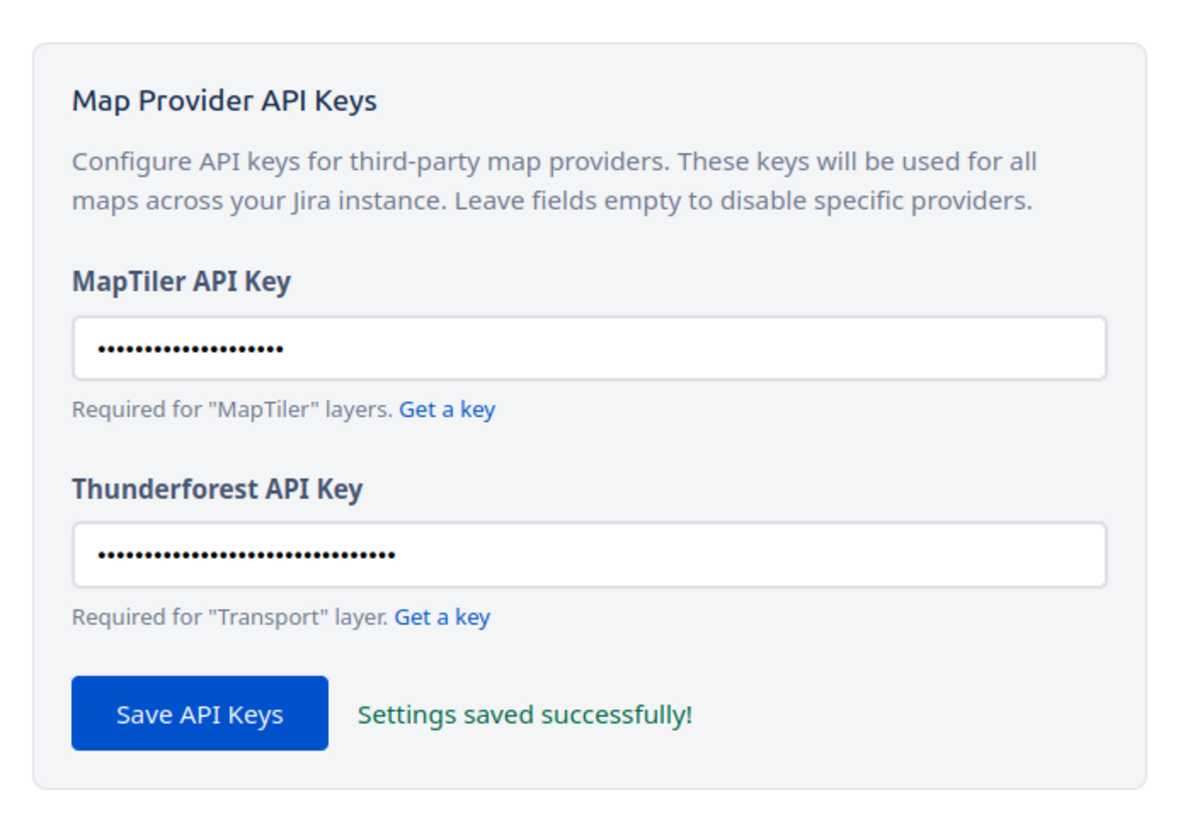
API Key Configuration
You can add your own API keys for providers like MapTiler. This allows you to use their specialized map layers across all your projects without hitting usage limits.
Ready to map?
Install OpenStreetMap for Jira from the Atlassian Marketplace.
FAQ & Support
Is my data secure?
Yes. Location data is stored within your Jira instance properties. We do not transmit your issue data to external servers.
Can I add multiple locations per embed?
Not yet but we plan to add this. Let us know at [email protected] if this is something you'd like to have.
I'd like to see feature xyz...
Please let us know at [email protected]! We'll look at adding features customers would like to see.